Infinite Canvas and Note Replay
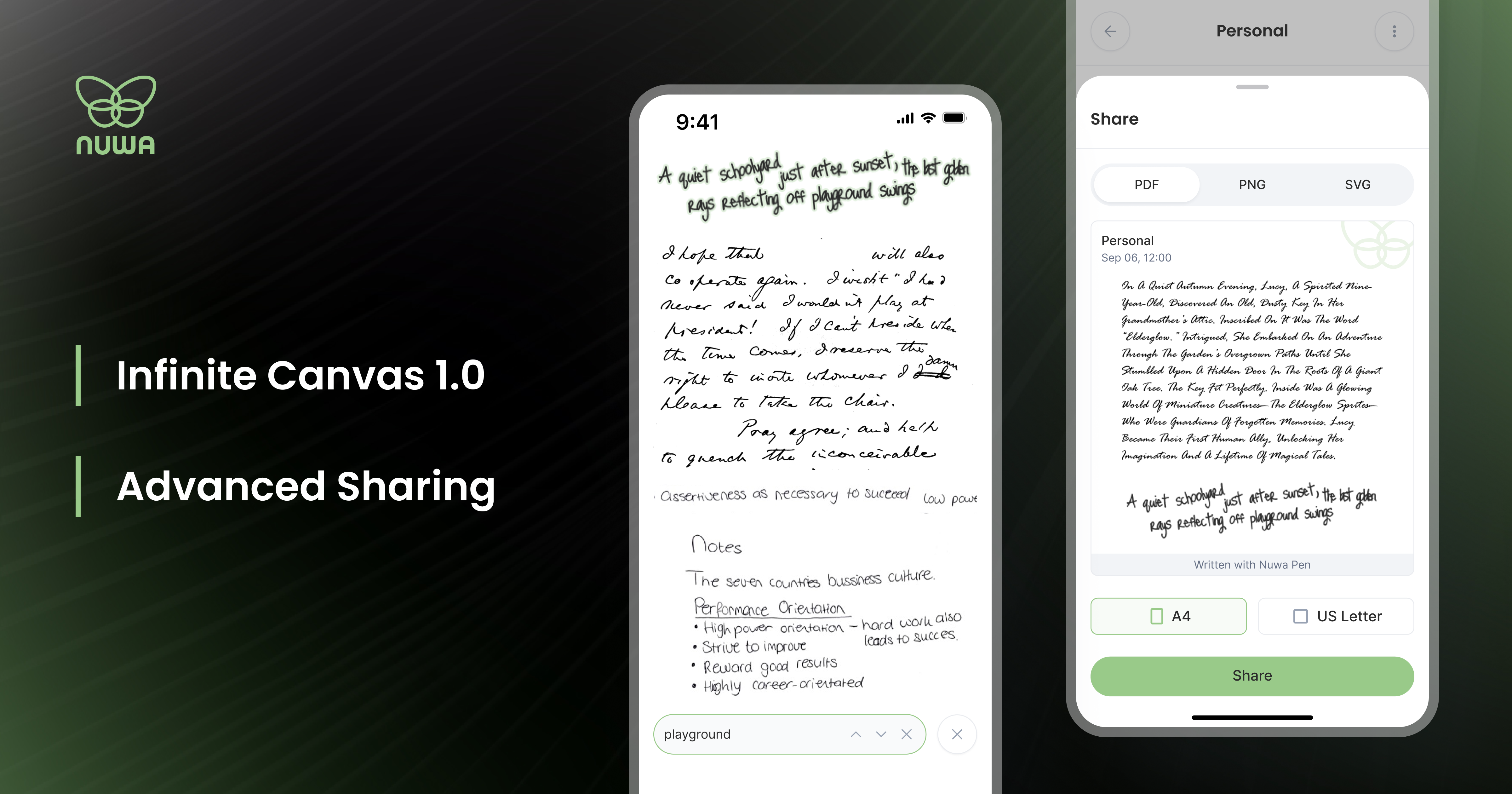
Nuwa+ 0.6.29 makes every canvas endless, and lets you watch your notes write themselves again
Note Replay, Infinite Canvas, a new share sheet for any number of notes, and faster multi-pen connections arrive in the biggest Nuwa+ update yet.
Nuwa+ 0.6.29 rebuilds the heart of the app around the canvas. Every note now opens in place inside an endlessly scrolling canvas, handwriting can be replayed stroke by stroke, and sharing goes from a single note to as many as you like, in the format you need.
Infinite Canvas
Canvases now scroll endlessly and load fast, page by page, no matter how many notes they hold. Every note opens right where it lives in its canvas, whether you arrive from a notification, Search, Pinned Notes or the calendar, so there is one consistent place to read, select and act on your writing. Tabs at the top let you move between Digital Copy and Typed Text, and Nuwa+ now keeps your place when you switch between them.
Note Replay
Pick any note (open Canvas and press (:) in top right corner) and watch it being written again, stroke by stroke, exactly as your pen moved across the page. Playback runs from 0.5x to 4x and the view follows the pen as it writes. Replay also shows which recognition model is active, alongside the Typed Text it produced.
Share anything, any way
A new share sheet lets you select any number of notes and export them as PDF, image, SVG, Word or Markdown. Choose A4 or US Letter, the Nuwa template or a blank page, and one note per page or everything together, with a live preview that shows exactly what you will send. Selected a sentence in Typed Text? Share just that selection, through the same sheet.
Typed Text, reimagined
Typed Text is now fully selectable, and a single selection can run across as many notes as you drag over, so a whole stretch of writing can be copied in one go. Tap the model badge to switch recognition models instantly. In Digital Copy, pinch, or swipe the new size pill, to make your handwriting larger or smaller.
Your notes, at the time you wrote them
Nuwa+ now synchronizes your pen's clock every time it connects, so notes appear at the moment they were written, not when they reached your phone. Notes are also held safely while a firmware update is running, and picked up as soon as it finishes.
Organize with less effort
Pin your most important notes and find them all on the new Pinned Notes screen. Select several notes at once to archive, trash or move them to another canvas, or swipe a note to archive or trash it. On Home, swipe the calendar left and right to move between months. And if you start reporting a note issue, your draft now saves automatically so you can pick it up later from Storage.
Additional features and improvements
Move your Notes to a different Canvas
Restart your pen from Pen Settings > Advanced.
Smoother Typed Text and canvas loading on slower phones.
More reliable database upgrades, uploads and push notifications, plus many other fixes.
Availability
Nuwa+ 0.6.29 is a free update for iPhone on the App Store and for Android on Google Play.